[ ]
track the hours.send the invoice.get paid.
Billable is the iPhone app for anyone who bills by the hour. Start a timer for each client, track every minute at their rate, then turn those hours into a professional invoice — ABN, GST and all — sent straight from your phone.
// iphone · free · no accounts, no analytics, no servers
[ ]
from clocked-in to paid, all on your phone.
01 / 04
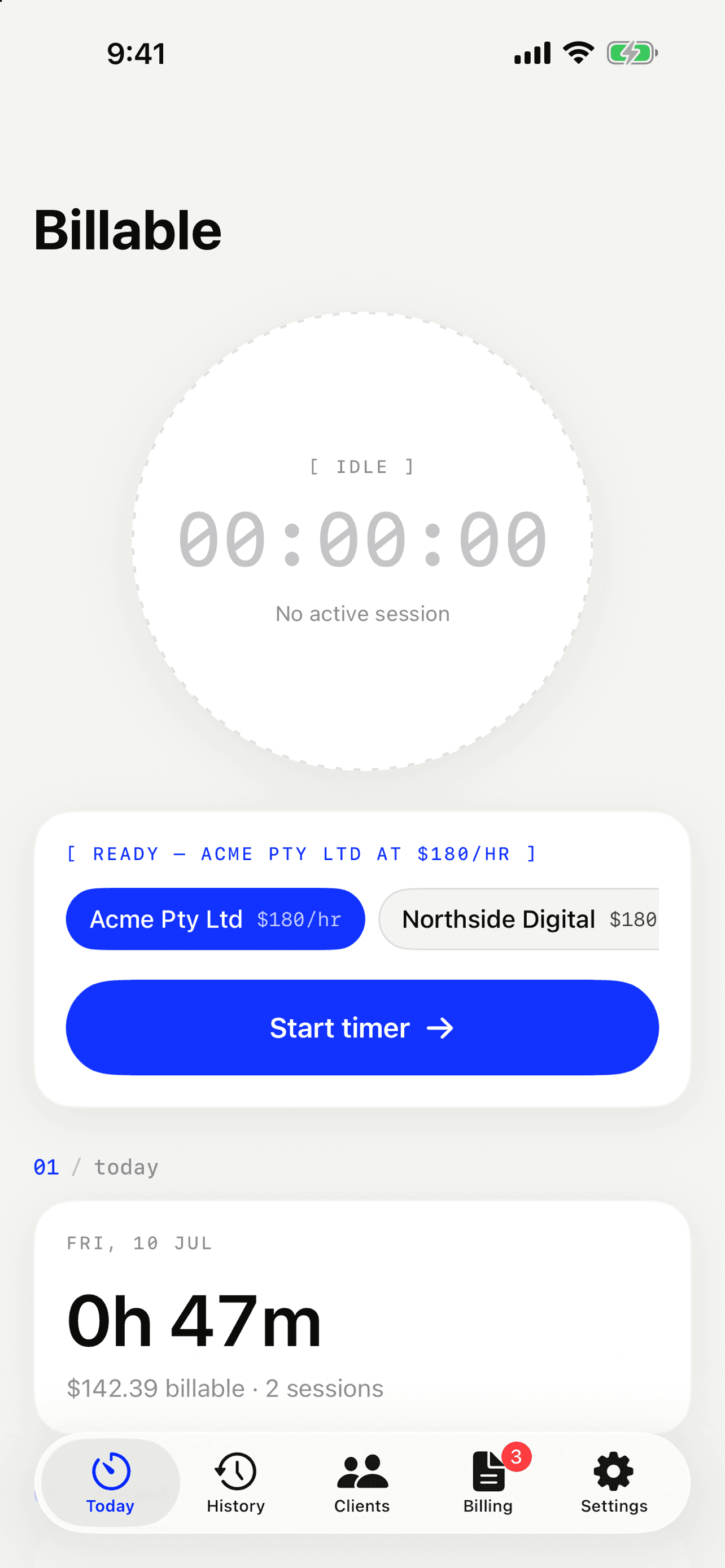
start the timer
Pick a client and tap start. The timer runs on your lock screen and in the Dynamic Island — kick it off with Siri or the Action Button, let it start itself when you arrive at a client, or when a calendar event named after them begins.
- ✓breaks tracked separately
- ✓auto clock-in by location or calendar
- ✓forgot? start it up to 24 hours back
02 / 04
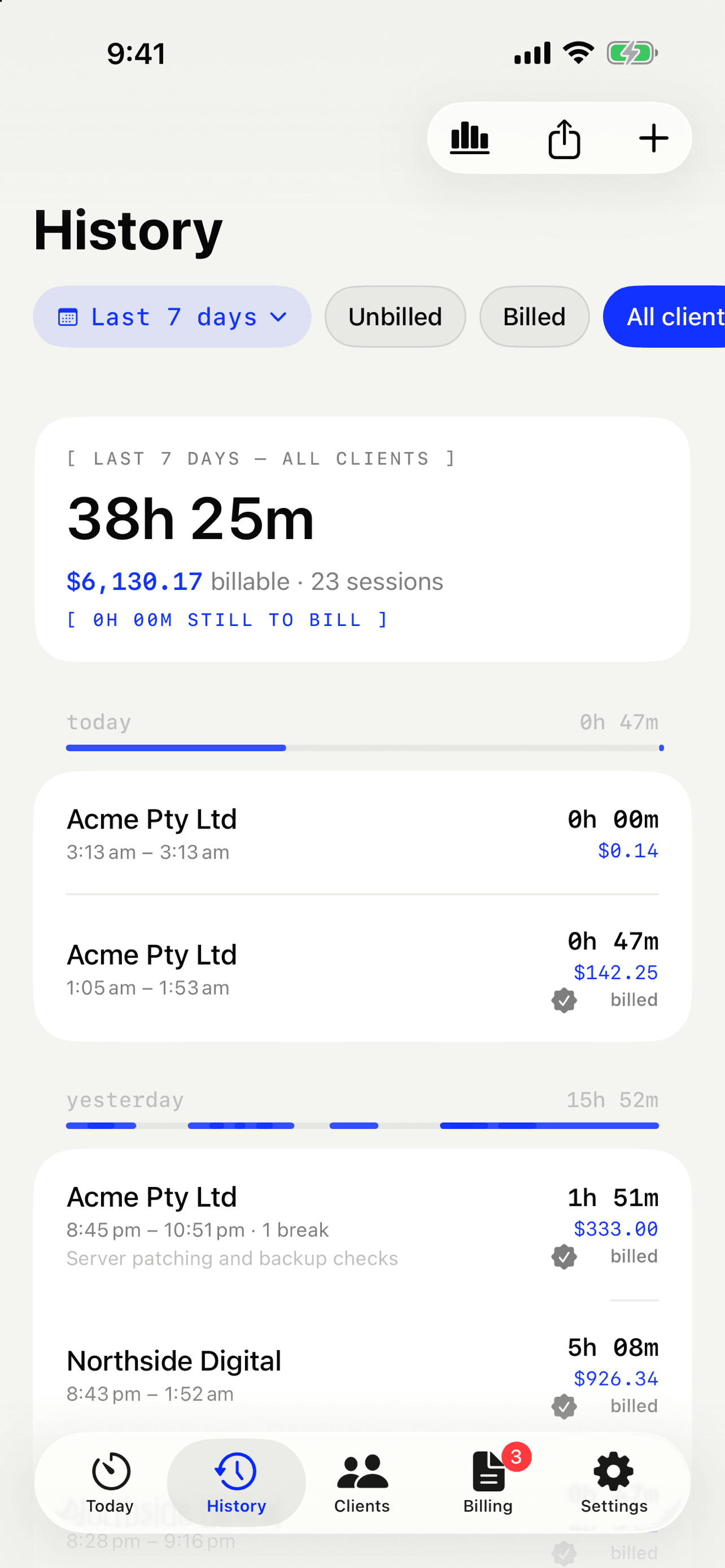
watch it add up
Every minute is logged at that client's rate — breaks never bill. Your day, week and month, and your unbilled total, are always one glance away, so you know exactly who owes you time and how much.
- ✓per-client rates & rounding
- ✓daily & weekly targets
- ✓unbilled totals, down to the cent
03 / 04
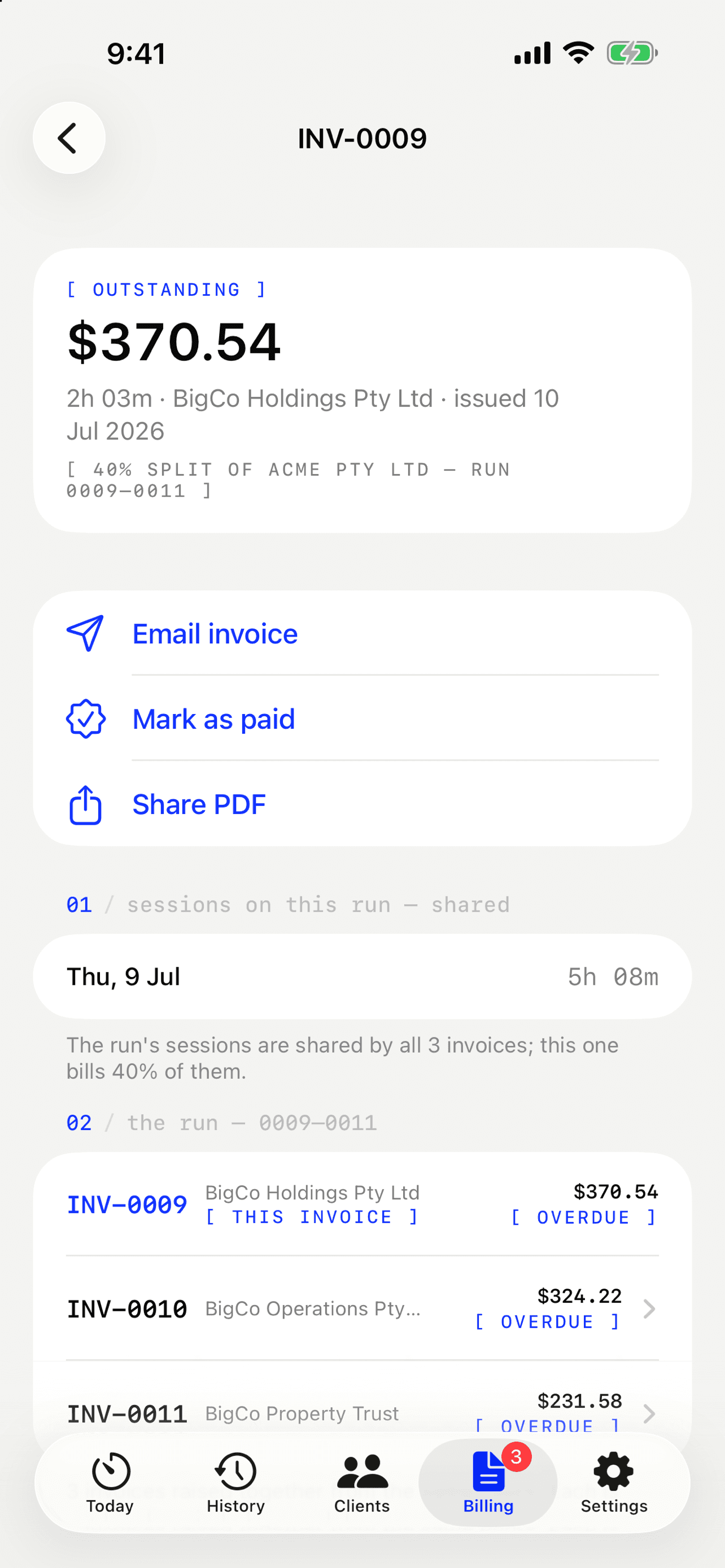
invoice in three taps
Turn a client's unbilled hours into a clean PDF tax invoice — your ABN, GST or VAT and payment terms baked in — and email it straight to them. You can even split one pool of hours across a client's entities, exact to the cent.
- ✓professional PDF tax invoices
- ✓emailed to the client from the app
- ✓split across a client's entities by %
04 / 04
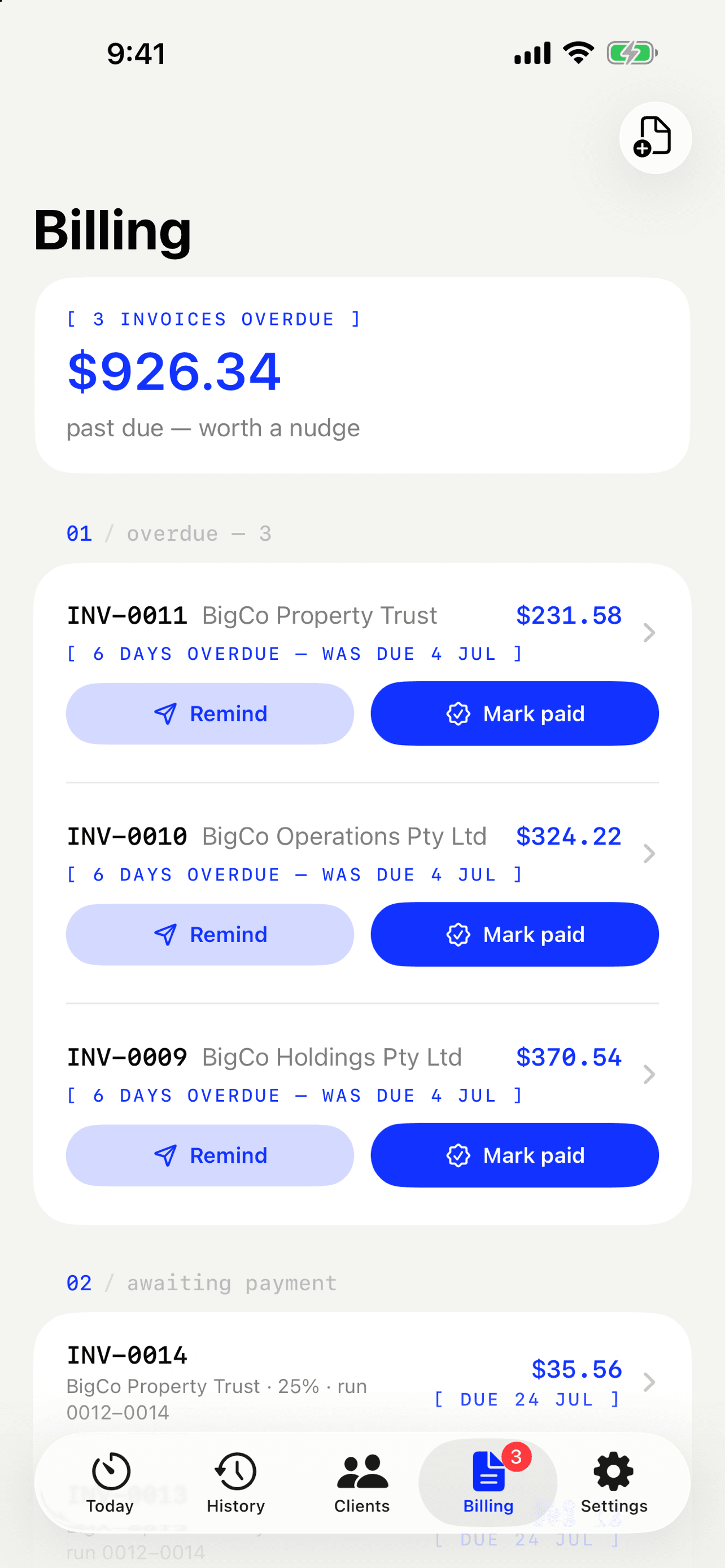
get paid
The Billing tab shows exactly what's outstanding and what's overdue. One tap sends a payment reminder or marks an invoice paid — and there's a quiet little celebration each time a client settles up.
- ✓overdue & paid tracking
- ✓one-tap reminders
- ✓payment terms — 14, 30 or 60 days
[ ]
if you bill by the hour, it's for you.
consultants · designers · developers · lawyers · accountants · bookkeepers · electricians · plumbers · builders · cleaners · tutors · coaches · agencies · contractors · freelancers · sole traders — anyone who trades time for money.
[ ]
and a stack of small things, sweated.
// the stuff that doesn't fit in four steps — but you'll use it every week.
+
dynamic island & lock screen
The running clock stays visible while you work — no need to open the app.
+
home-screen widget
Today's hours and your week, ticking live on your home screen.
+
a year in hours
A heatmap of your whole year, shareable as a single image.
+
targets & overtime
Daily and weekly goals, with overtime multipliers once you push past them.
+
rounding rules
Round to the nearest 5, 10, 15 or 30 minutes — set per client.
+
reports
Weekly output, client mix and financial-year totals, at a glance.
+
backup & restore
Everything as one JSON file; restoring is duplicate-proof and safe to re-run.
+
any currency & tax
Dollars, pounds or euros; GST, VAT or sales tax by name and rate.
+
face id lock
Keep the app — and your rates — behind Face ID.
[ ]
have a go.
// a taste of the real timer — which also survives you locking your phone.
00:00:00
[ off the clock ]
$0.00 billable
~ $ billable --demo
// this ledger writes itself. keep scrolling.
[ ]
the whole privacy model, in three numbers.
[ accounts ]
[ trackers ]
[ servers ]
Your clients, sessions and rates live on your device and sync through your own private iCloud — encrypted, tied to your Apple ID, invisible to us. We couldn't read your data if we wanted to, and we've gone out of our way not to want to.
// one asterisk: emailing an invoice sends that invoice through our mail relay to reach your client — only when you tap send, never stored.
{
  accounts: 0,
  trackers: 0,
  servers: 0,
  your_data: "yours",
  fine_print: "short"
}
[ ]
fair questions, straight answers.
// anything else? the support form is one scroll away.
is my data really private?
Yes — there's nothing to collect. Billable has no accounts and no analytics. Your clients, sessions and rates live on your device and sync through your own private iCloud, which we can't see and couldn't open if we wanted to. The one exception: if you email an invoice from the app, that invoice travels through our mail relay to reach your client — only when you tap send, and nothing is stored.
how does the location clock-in work?
Give a client a location and a radius. When you arrive, the timer starts; when you leave, the session saves itself. Visits shorter than the client's minimum-visit setting are discarded, so a drive-by never becomes an invoice line. It's off by default, set per client, and your location never leaves the phone.
can it start the timer from my calendar?
Optionally, yes. Name a calendar event after a client and Billable offers to start the timer the moment it begins. Calendar access is opt-in and read-only, the matching happens entirely on your device, and no calendar data is ever sent anywhere.
will auto-tracking flatten my battery?
No. It uses Apple's geofencing rather than constant GPS — iOS only wakes the app when you cross a fence you've defined, so the battery cost is negligible.
does it sync between my devices?
Yes — through your private iCloud. Same Apple ID, same clients and sessions everywhere, no extra account to create.
can it do the invoice too?
Yes — end to end. Unbilled hours become a clean PDF tax invoice with your ABN, GST or VAT, payment terms and business details, emailed straight to the client from the app. You can split one pool of hours across a client's entities to the cent, and the Billing tab tracks what's owed and overdue with one-tap reminders and mark-paid. Sessions mark themselves billed the moment the invoice is made, so nothing ever gets charged twice.
what does it cost?
It's free.
where do i get it?
It's out now on the App Store — free. Tap “download on the app store” at the top of this page, or search “Billable — Hours Tracker”.
[ ]
Stuck? Found a bug? A human reads every ticket — usually well inside 2 business days.